Discovery
Stop designing. Start looking
The power of your eyes and heuristic evaluation. How I audit a product before designing anything.
Starting a new role? You might feel comfortable thinking, “I already know this domain, I’ve got this.” But here’s what I actually want from a new starter: your eyes!
Not your opinions yet. Not your redesign ideas. Your eyes.
Everyone appreciates your UX knowledge, your portfolio, and your experience. But the most valuable thing you bring on day one is a fresh perspective. Before you’ve learned the workarounds, before you’ve accepted the quirks, before anyone tells you “that’s just how it works here,” your eyes see things that nobody else can see anymore.
So before you open Figma, open the product. Scan the flows. Click every button. Read every error message. Break things. And write it all down.
That’s an audit. And there’s a framework for doing it properly. It’s called heuristic evaluation.
This isn’t about opinions. These are Jakob Nielsen’s 10 Usability Heuristics, defined in 1994. Still the rules.
First step: defining your tasks. What are the flows? What are our users trying to accomplish? Did you look at your analytics? Where are users going, and where are they dropping off?
This is a great first step to understand the full flow and every loop in your product. This usually gives me a super good sitemap first, then I basically screenshot every step that I can refer back to later to see what’s changing and what’s evolving. Create your own big picture. Map the entire product. That’s the key. You can’t fix what you can’t see.
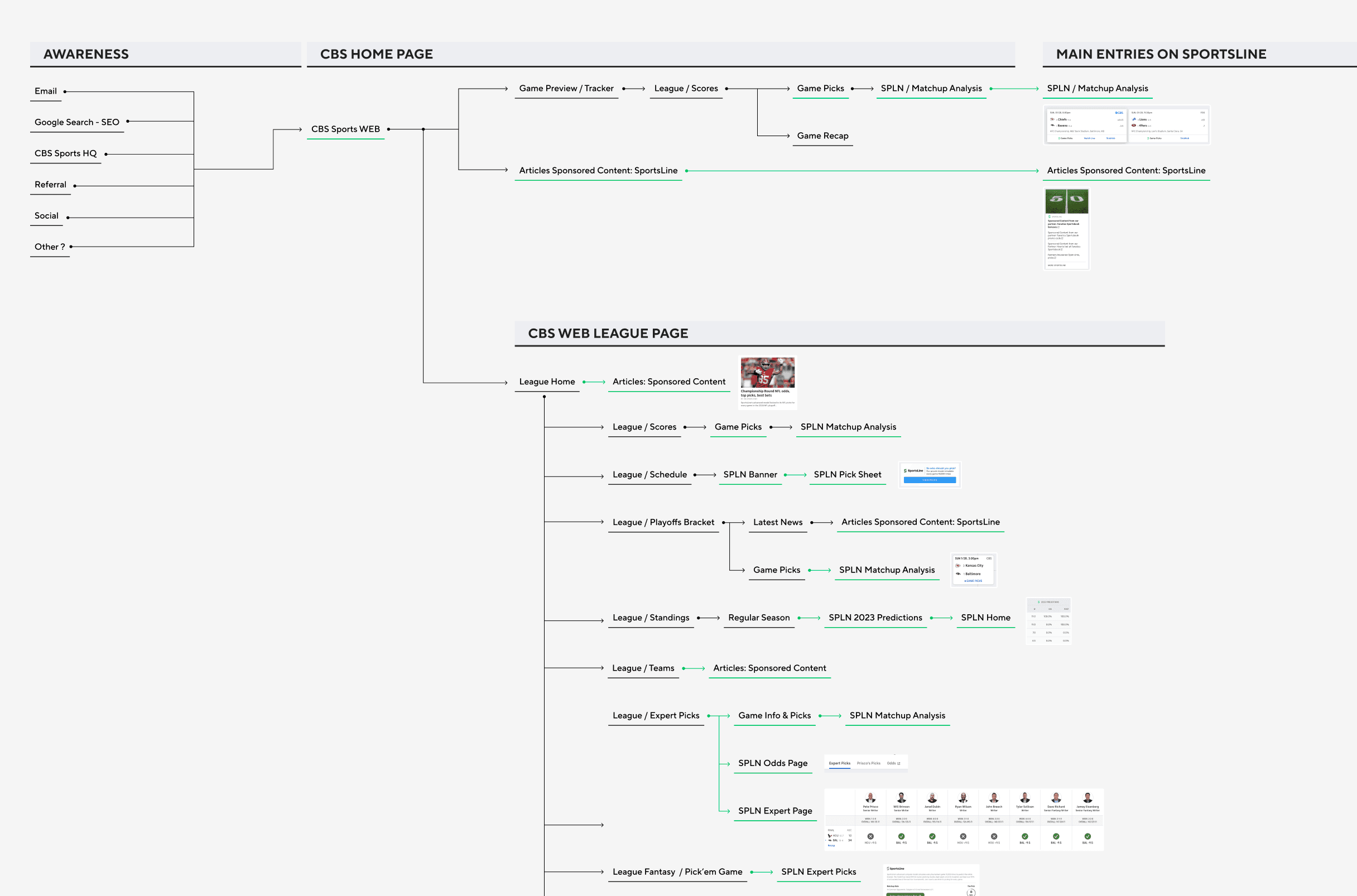
Did I say don’t just glance at it? Screenshot every step. Then review it against the 10 heuristics. Trust me, you’ll spot something new every time you look.
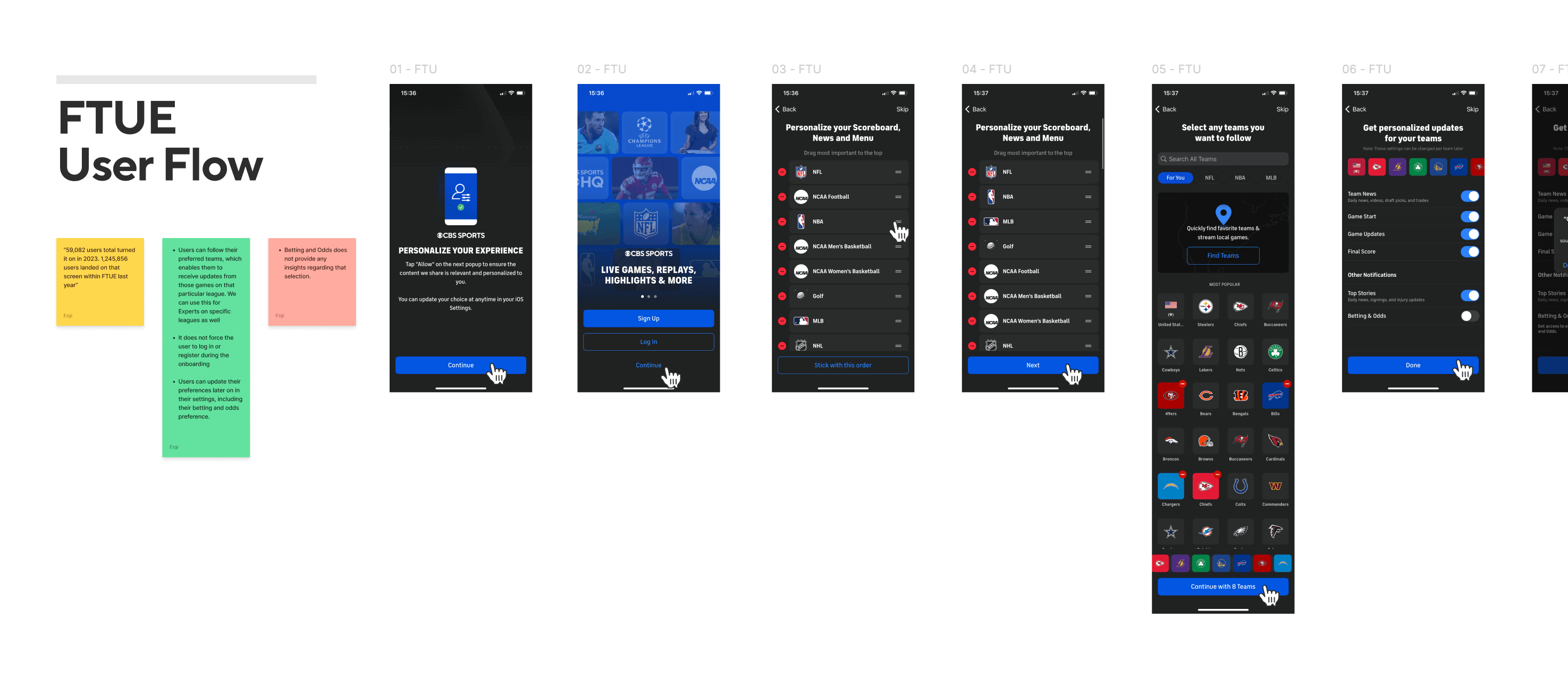
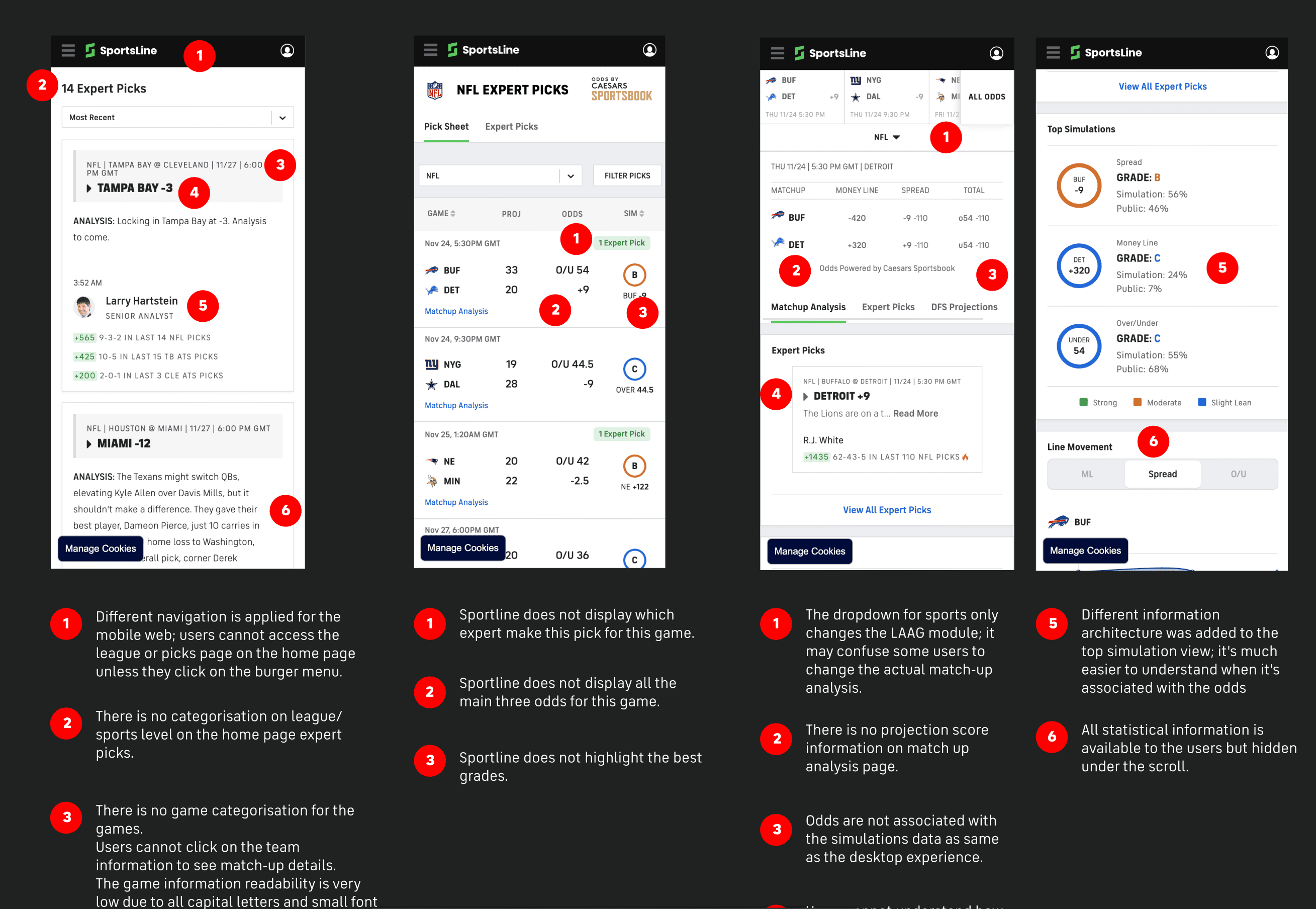
By looking at those screens, I start taking my notes, like, okay, here’s a list of possible UX improvements, quite raw, no prioritisation yet, just your ideas and what’s going on in that flow and on that screen. This is definitely not ready to share with anyone, but it’s to make sure you don’t forget anything.
At this point, you should have three things: a full sitemap of your product, screenshots of every step in the key flows, and a raw list of UX improvements based on the 10 heuristics.
That list will be messy. Some items will be quick fixes; others will be big structural changes. Some will matter to millions of users; others will affect a handful. And that’s fine. The point of an audit isn’t to have a perfect plan. It’s to see clearly.
Most designers skip this step. They jump into Figma on day one and start redesigning screens. An audit gives you something better than a gut feeling. It gives you evidence.
So next time you start a new role, or a new project, or even look at a product you’ve been working on for years: Stop designing. Start looking. Your eyes will tell you more than any brief ever will.
How do we prioritise this list of improvements and ensure it’s part of the development plan? That’s a story for the next article. For now, your job is to look. Really look. The improvements will find you.
Written by
Ezgi Bozdoğan
Slow human designer with AI-assisted craft | Senior Product & UX Designer | Research